分布式系统面临的问题:
复杂分布式体系结构中的应用程序有数十个依赖关系,每个依赖关系在某个时候将不可避免的失败。

服务雪崩:
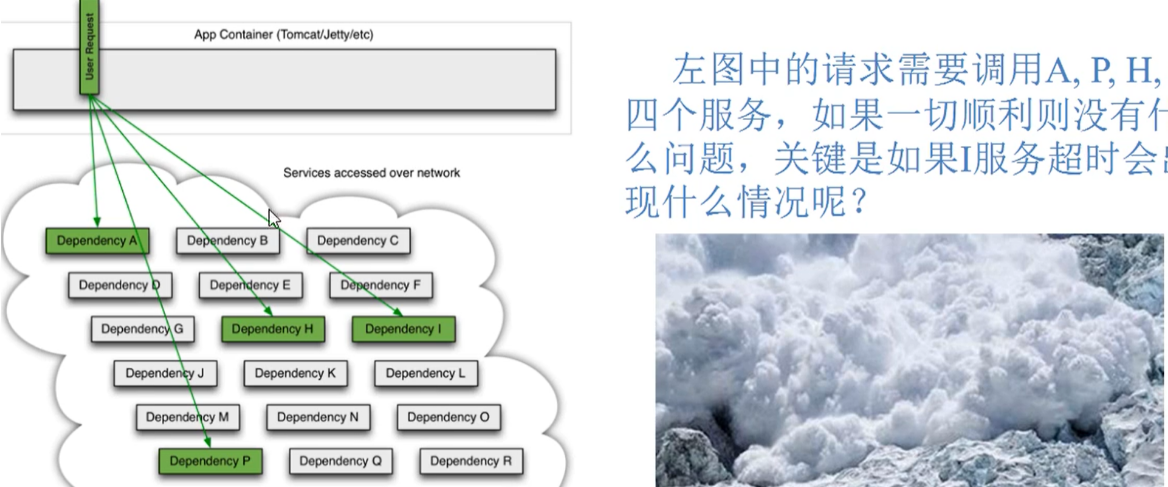
多个微服务之间调用的时候,假设微服务A调用微服务B和微服务C,微服务B和微服务C又调用其他的微服务,这就是所谓的 “ 扇出 ” 。
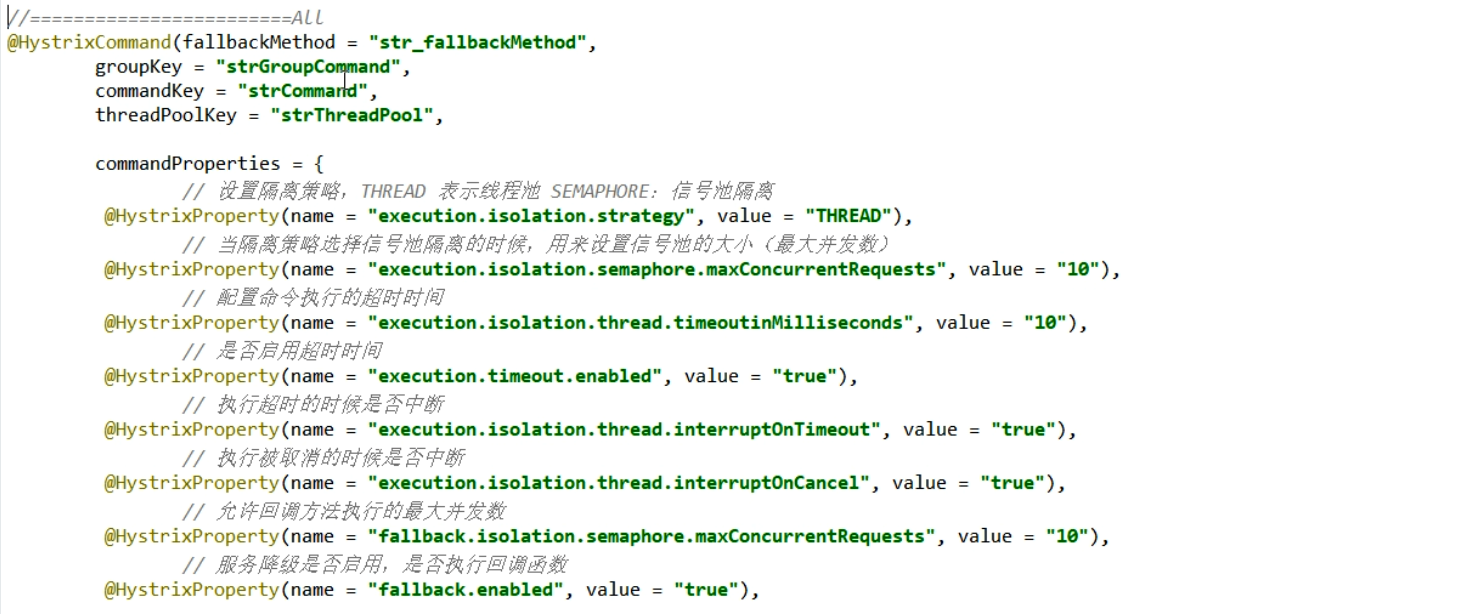
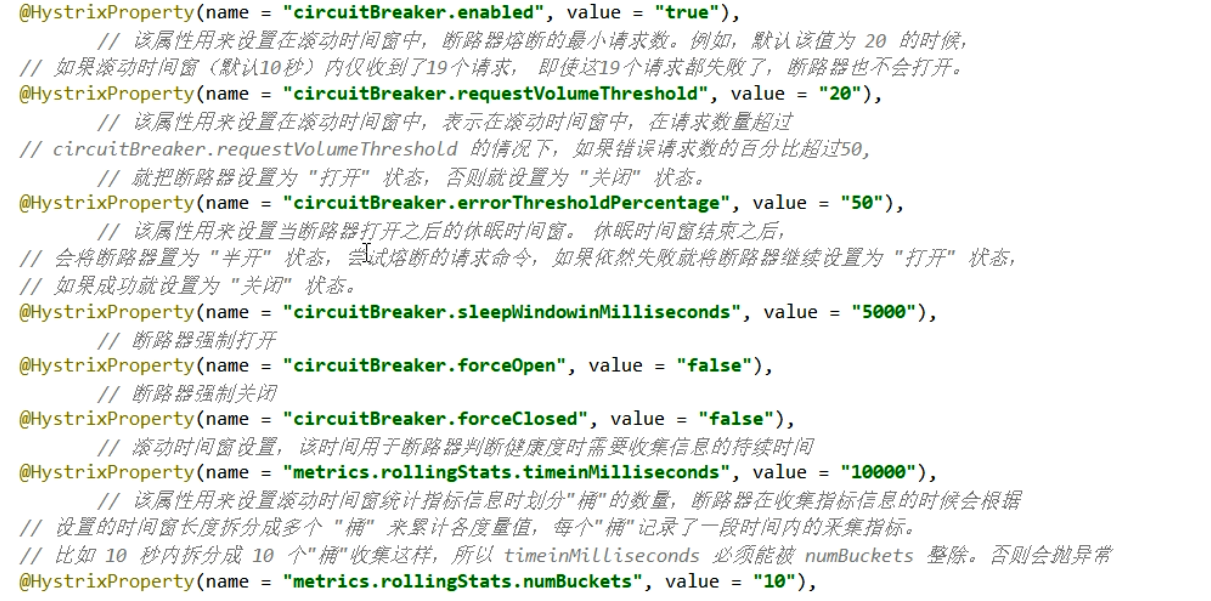
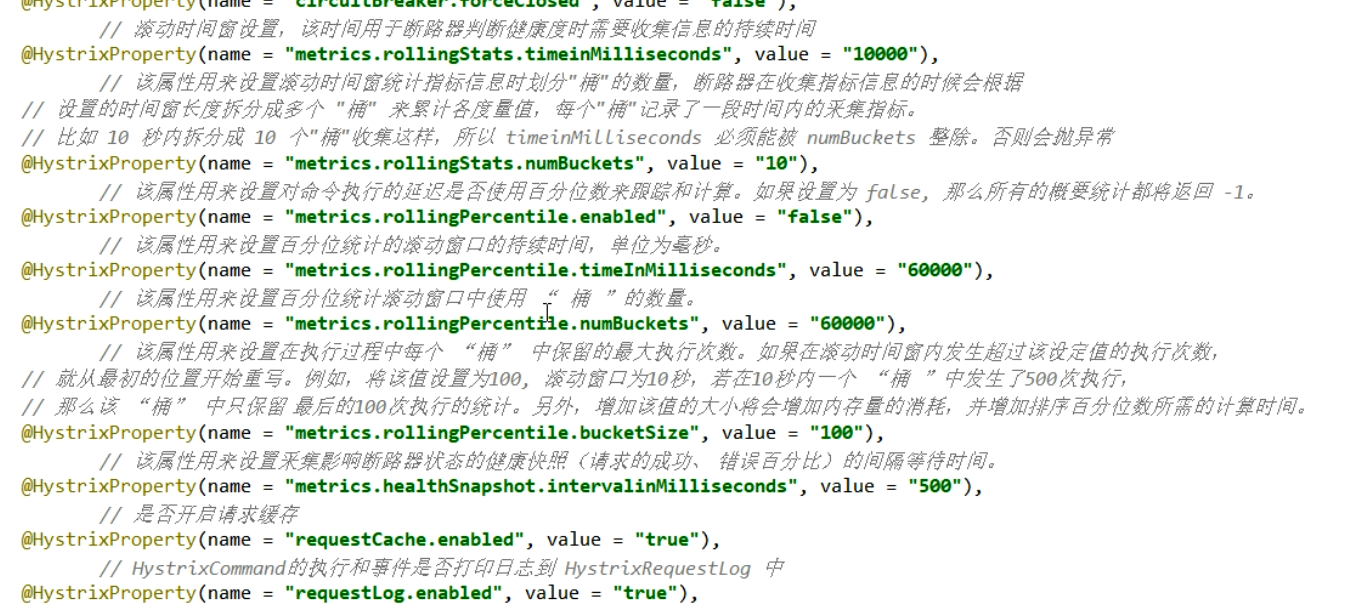
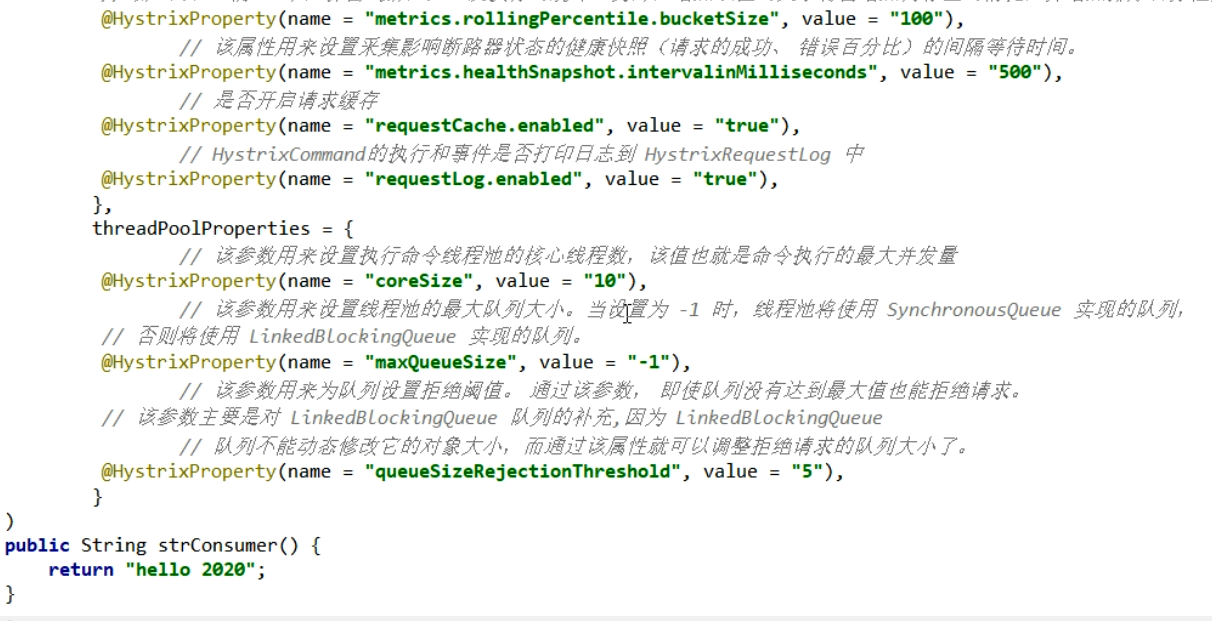
如果扇出的链路上某个微服务的调用响应时间过长或者不可用,对微服务A 的调用就会占用越来越多的系统资源,进而引起系统崩溃,所谓的 “ 雪崩效应 ”。
对于高流量的应用来说,单一的后端依赖可能会导致所有服务器上的所有资源都在几秒钟内饱和。比失败更糟糕的是,这些应用程序还可能导致服务之间的延迟增加,备份队列,线程和其他系统资源紧张,导致整个系统发生更多的级联故障。这些都表示需要对故障和延迟进行隔离和管理,以便单个依赖关系的失败,不能取消整个应用程序或系统。
所以,通常当你发现一个模块下的某个实例失败后,这时候这个模块依然还会接受流量,然后这个有问题的模块还调用了其他的模块,这样就会发生级联故障,或者叫 雪崩。
要避免这样的级联故障,就需要有一种链路中断的方案:
服务降级、服务熔断
1.Hystrix 简介:
Hystrix是一个用于处理分布式系统的延迟和容错的开源库,在分布式系统里,许多依赖不可避免的会调用失败,比如超时、异常等,Hystrix能够保证在一个依赖出问题的情况下,不会导致整体服务失败,避免级联故障,已提高分布式系统的弹性。
“ 断路器 ” 本身是一种开关装置,当某个服务单元发送故障之后,通过断路器的故障监控(类似熔断保险丝),向调用方返回一个符合预期的、可处理的备选响应(FallBack),而不是长时间的等待或抛出调用方无法处理的异常,这样就保证了服务调用方的线程不会被长时间、不必要地占用,从而避免了故障在分布式系统中的蔓延,乃至雪崩。
官网资料:https://github.com/Netflix/Hystrix/wiki/How-To-Use
Hystrix 官宣:停更进入维护阶段

但是它推荐使用 resilience4j 替代,但是国内用的比较少,后续会介绍 SpringCloud Alibaba Sentinel 实现熔断和限流。(真滴很强大,个人感觉完美代替,甚至吊打……)
1.1Hystrix 功能:
Hystrix重要概念:
1.服务降级:
服务器忙,请稍后再试,不让客户端等待并立刻返回一个友好提示,fallback
哪些情况会发出降级?
- 程序运行异常
- 超时
- 服务熔断触发服务降级
- 线程池 / 信号量打满也会导致服务降级
2.服务熔断
类似保险丝达到最大服务访问后,直接拒绝访问,拉闸限电,然后调用服务降级的方法并返回友好提示
3.服务限流
秒杀高并发等操作,严禁一窝蜂的过来拥挤,大家排队,一秒钟N个,有序进行
2.Hystrix 支付微服务构建
2. OpenFeign使用步骤
2.1新建 module cloud-provider-hystrix-payment8001
2.2 pom.xml
1
2
3
4
5
6
7
8
9
10
11
12
13
14
15
16
17
18
19
20
21
22
23
24
25
26
27
28
29
30
31
32
33
34
35
36
37
38
39
40
41
42
43
44
45
46
47
48
49
50
51
52
53
54
55
56
57
58
| <?xml version="1.0" encoding="UTF-8"?>
<project xmlns="http://maven.apache.org/POM/4.0.0"
xmlns:xsi="http://www.w3.org/2001/XMLSchema-instance"
xsi:schemaLocation="http://maven.apache.org/POM/4.0.0 http://maven.apache.org/xsd/maven-4.0.0.xsd">
<parent>
<artifactId>cloud2020</artifactId>
<groupId>com.atguigu.springcloud</groupId>
<version>1.0-SNAPSHOT</version>
</parent>
<modelVersion>4.0.0</modelVersion>
<artifactId>cloud-provider-hystrix-payment8001</artifactId>
<dependencies>
<dependency>
<groupId>org.springframework.cloud</groupId>
<artifactId>spring-cloud-starter-netflix-hystrix</artifactId>
</dependency>
<dependency>
<groupId>org.springframework.cloud</groupId>
<artifactId>spring-cloud-starter-netflix-eureka-client</artifactId>
</dependency>
<dependency>
<groupId>org.springframework.boot</groupId>
<artifactId>spring-boot-starter-web</artifactId>
</dependency>
<dependency>
<groupId>org.springframework.boot</groupId>
<artifactId>spring-boot-starter-actuator</artifactId>
</dependency>
<dependency>
<groupId>com.atguigu.springcloud</groupId>
<artifactId>cloud-api-commons</artifactId>
<version>${project.version}</version>
</dependency>
<dependency>
<groupId>org.springframework.boot</groupId>
<artifactId>spring-boot-devtools</artifactId>
<scope>runtime</scope>
<optional>true</optional>
</dependency>
<dependency>
<groupId>org.projectlombok</groupId>
<artifactId>lombok</artifactId>
<optional>true</optional>
</dependency>
<dependency>
<groupId>org.springframework.boot</groupId>
<artifactId>spring-boot-starter-test</artifactId>
<scope>test</scope>
</dependency>
</dependencies>
</project>
|
2.3 application.yml
1
2
3
4
5
6
7
8
9
10
11
12
13
14
15
| server:
port: 8001
spring:
application:
name: cloud-provider-hystrix-payment
eureka:
client:
register-with-eureka: true
fetch-registry: true
service-url:
defaultZone: http://eureka7001.com:7001/eureka
|
2.4 主启动类
1
2
3
4
5
6
7
8
9
10
11
12
| package com.atguigu.springcloud;
import org.springframework.boot.SpringApplication;
import org.springframework.boot.autoconfigure.SpringBootApplication;
import org.springframework.cloud.netflix.eureka.EnableEurekaClient;
@SpringBootApplication
@EnableEurekaClient
public class PaymentHystrixMain8001 {
public static void main(String[] args) {
SpringApplication.run(PaymentHystrixMain8001.class,args);
}
}
|
2.5 业务类
1
2
3
4
5
6
7
8
9
10
11
12
13
14
15
16
17
18
19
20
21
22
23
24
25
| package com.atguigu.springcloud.service;
import org.springframework.stereotype.Service;
import java.util.concurrent.TimeUnit;
@Service
public class PaymentService {
public String paymentInfo_OK(Integer id){
return "线程池:"+Thread.currentThread().getName()+" paymentInfo_OK,id:"+id+"\t"+"O(∩_∩)O哈哈~";
}
public String paymentInfo_Timeout(Integer id){
int timeNumber = 3;
try{
TimeUnit.SECONDS.sleep(timeNumber);
}catch (InterruptedException e){
e.printStackTrace();
}
return "线程池:"+Thread.currentThread().getName()+" paymentInfo_Timeout,id:"+id+"\t"+"O(∩_∩)O哈哈~"+" 耗时(秒):"+timeNumber;
}
}
|
1
2
3
4
5
6
7
8
9
10
11
12
13
14
15
16
17
18
19
20
21
22
23
24
25
26
27
28
29
30
| package com.atguigu.springcloud.controller;
import com.atguigu.springcloud.service.PaymentService;
import lombok.extern.slf4j.Slf4j;
import org.springframework.beans.factory.annotation.Value;
import org.springframework.web.bind.annotation.GetMapping;
import org.springframework.web.bind.annotation.PathVariable;
import org.springframework.web.bind.annotation.RestController;
import javax.annotation.Resource;
@RestController
@Slf4j
public class PaymentController {
@Resource
private PaymentService paymentService;
@Value("${server.port}")
private String serverPort;
@GetMapping(value = "/payment/hystrix/ok/{id}")
public String paymentInfo_OK(@PathVariable("id") Integer id){
String result = paymentService.paymentInfo_OK(id);
log.info("*****result:"+result);
return result;
}
@GetMapping(value = "/payment/hystrix/timeout/{id}")
public String paymentInfo_TimeOut(@PathVariable("id") Integer id){
String result = paymentService.paymentInfo_Timeout(id);
log.info("*****result:"+result);
return result;
}
}
|
2.6 测试
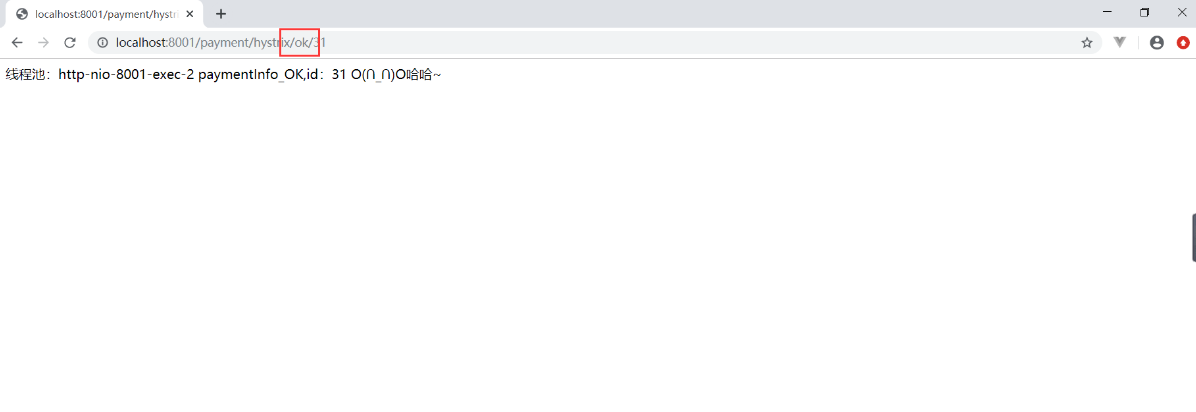
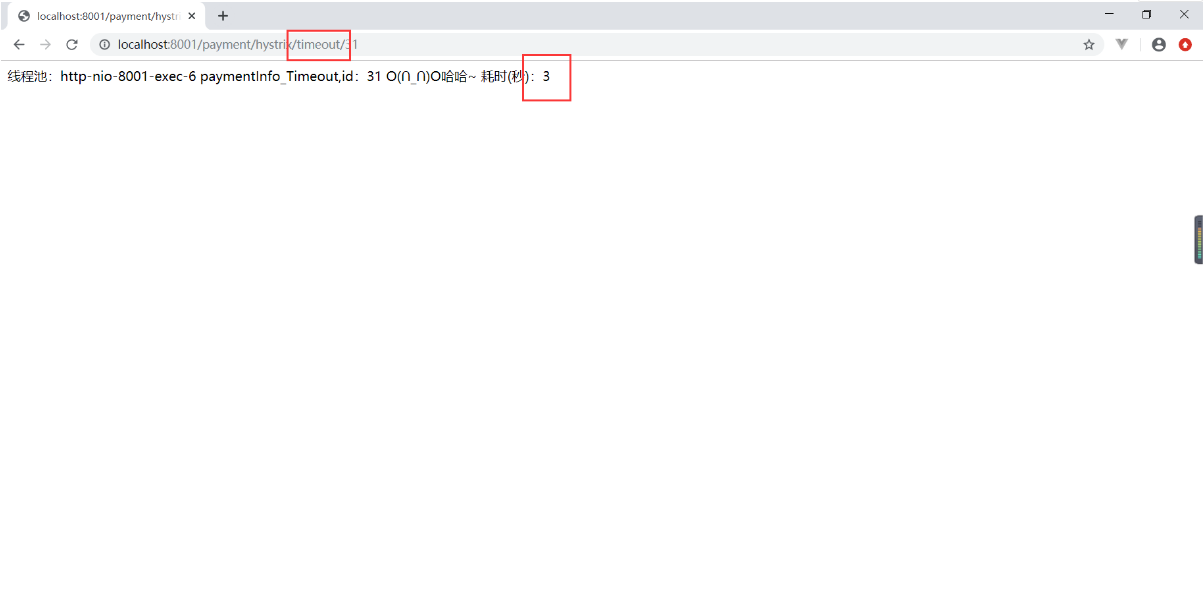
启动7001,启动8001,测试


OK是正常访问的,TimeOut 超过3秒才返回数据
3.降级容错解决的维度要求
超时导致服务器变慢 (转圈)
超时不再等待
出错(宕机或程序运行出错)
出错要有兜底
解决:
对方服务(8001)超时了,调用者(80)不能一直卡死等待,必须有服务降级
对方服务(8001)宕机了,调用者(80)不能一直卡死等待,必须有服务降级
对方服务(8001)OK,调用者(80)自己出故障或有自我要求(自己的等待时间小于服务提供者),自己处理降级
4.使用 Hystrix 服务降级
设置自身调用超时时间的峰值,峰值内可以正常运行,超过了需要有兜底的方法处理,作服务降级fallback
服务降级 fallback 既可以放在服务端,也可以放在客户端,但是我们一般放在客户端,这里两种都演示一下。
4.1 服务提供者服务降级
1
2
3
4
5
6
7
8
9
10
11
12
13
14
15
16
17
18
19
20
21
22
23
24
25
26
27
28
29
30
31
32
33
34
35
36
37
38
39
40
41
42
43
44
45
46
|
package com.atguigu.springcloud.service;
import com.netflix.hystrix.contrib.javanica.annotation.HystrixCommand;
import com.netflix.hystrix.contrib.javanica.annotation.HystrixProperty;
import org.springframework.stereotype.Service;
import java.util.concurrent.TimeUnit;
@Service
public class PaymentService {
public String paymentInfo_OK(Integer id){
return "线程池:"+Thread.currentThread().getName()+" paymentInfo_OK,id:"+id+"\t"+"O(∩_∩)O哈哈~";
}
@HystrixCommand(fallbackMethod = "paymentInfo_TimeOutHandler",commandProperties = {
//设置这个线程的超时时间是3s,3s内是正常的业务逻辑,超过3s调用fallbackMethod指定的方法进行处理
@HystrixProperty(name = "execution.isolation.thread.timeoutInMilliseconds",value = "3000")
})
public String paymentInfo_Timeout(Integer id){
int timeNumber = 5;
try{
TimeUnit.SECONDS.sleep(timeNumber);
}catch (InterruptedException e){
e.printStackTrace();
}
return "线程池:"+Thread.currentThread().getName()+" paymentInfo_Timeout,id:"+id+"\t"+"O(∩_∩)O哈哈~"+" 耗时(秒):"+timeNumber;
}
public String paymentInfo_TimeOutHandler(Integer id){
return "线程池:"+Thread.currentThread().getName()+" 系统繁忙,请稍后再试,id:"+id+"\t"+"o(╥﹏╥)o";
}
}
|
1
2
3
4
5
6
7
8
9
10
11
12
13
14
15
|
package com.atguigu.springcloud;
import org.springframework.boot.SpringApplication;
import org.springframework.boot.autoconfigure.SpringBootApplication;
import org.springframework.cloud.client.circuitbreaker.EnableCircuitBreaker;
import org.springframework.cloud.netflix.eureka.EnableEurekaClient;
@SpringBootApplication
@EnableEurekaClient
@EnableCircuitBreaker
public class PaymentHystrixMain8001 {
public static void main(String[] args) {
SpringApplication.run(PaymentHystrixMain8001.class,args);
}
}
|
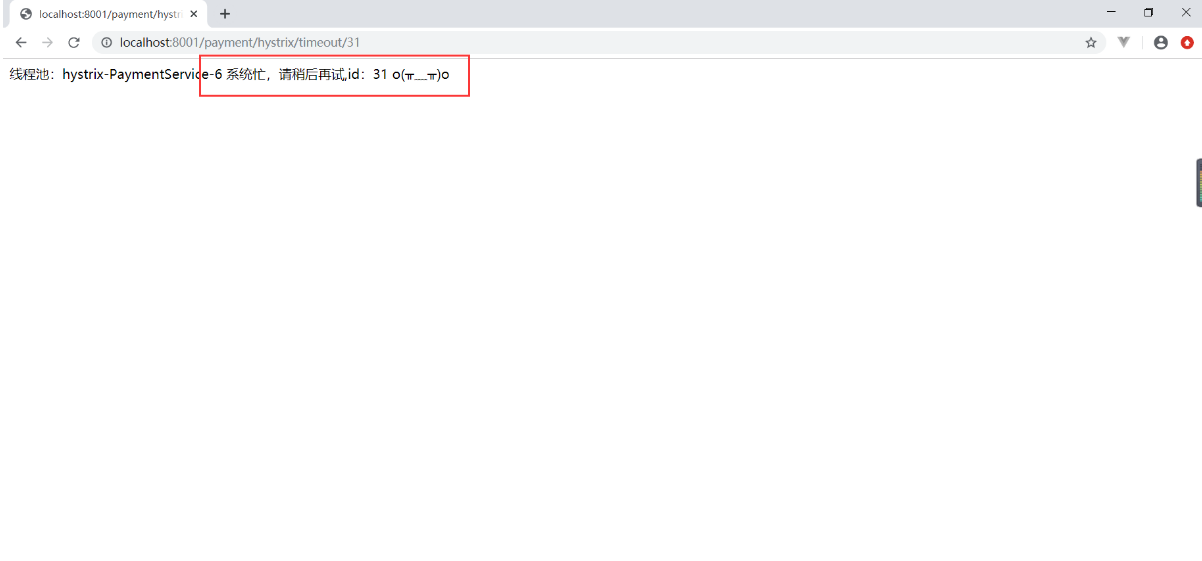
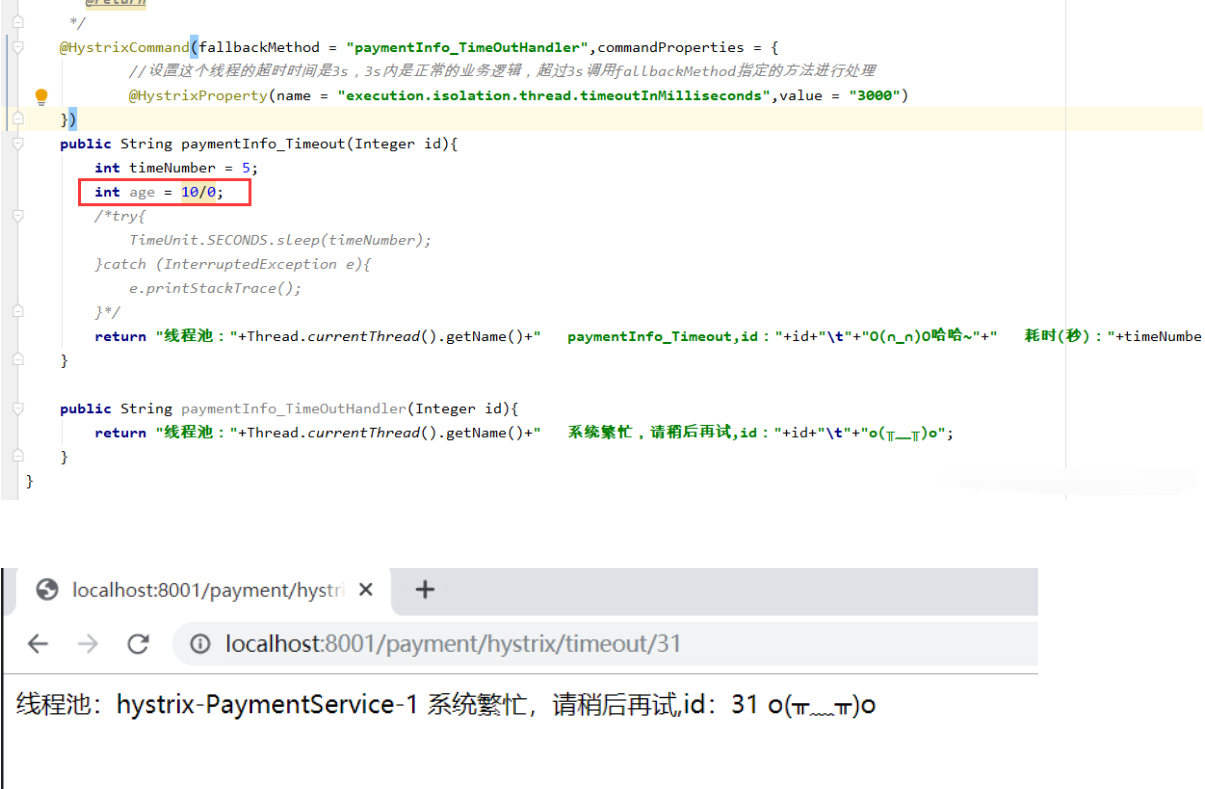
启动测试,没有报错,而是执行了fallbackMethod指定的方法

再来测试一下计算错误,也是会调用 fallbackMethod 指定的方法

总结:
如果我们故意制造两个异常:
int age = 10/0; 运行时异常
我们能接受3秒钟,它运行5秒钟,超时异常。
当前服务不可用了,做服务降级,兜底的方案都是paymentInfo_TimeOutHandler
4.2消费者服务降级
1
2
3
4
|
feign:
hystrix:
enabled: true
|
1
2
3
4
5
6
7
8
9
10
11
12
13
14
|
package com.atguigu.springcloud;
import org.springframework.boot.SpringApplication;
import org.springframework.boot.autoconfigure.SpringBootApplication;
import org.springframework.cloud.netflix.hystrix.EnableHystrix;
import org.springframework.cloud.openfeign.EnableFeignClients;
@SpringBootApplication
@EnableFeignClients
@EnableHystrix
public class OrderHystrixMain80 {
public static void main(String[] args) {
SpringApplication.run(OrderHystrixMain80.class,args);
}
}
|
1
2
3
4
5
6
7
8
9
10
11
12
13
14
15
16
17
18
19
20
21
22
23
24
25
26
27
28
29
30
31
32
33
34
|
package com.atguigu.springcloud.controller;
import com.atguigu.springcloud.service.PaymentHystrixService;
import com.netflix.hystrix.contrib.javanica.annotation.HystrixCommand;
import com.netflix.hystrix.contrib.javanica.annotation.HystrixProperty;
import lombok.extern.slf4j.Slf4j;
import org.springframework.web.bind.annotation.GetMapping;
import org.springframework.web.bind.annotation.PathVariable;
import org.springframework.web.bind.annotation.RestController;
import javax.annotation.Resource;
@RestController
@Slf4j
public class OrderHystrixController {
@Resource
private PaymentHystrixService paymentHystrixService;
@GetMapping("/consumer/payment/hystrix/ok/{id}")
public String paymentInfo_OK(@PathVariable("id") Integer id){
return paymentHystrixService.paymentInfo_OK(id);
}
@GetMapping("/consumer/payment/hystrix/timeout/{id}")
@HystrixCommand(fallbackMethod = "paymentTimeOutFallBackMethod",commandProperties = {
@HystrixProperty(name = "execution.isolation.thread.timeoutInMilliseconds",value = "1500")
})
public String paymentInfo_TimeOut(@PathVariable("id") Integer id){
return paymentHystrixService.paymentInfo_TimeOut(id);
}
public String paymentTimeOutFallBackMethod(@PathVariable("id") Integer id){
return "我是消费者80,对方支付系统繁忙,请稍后再试,o(╥﹏╥)o";
}
}
|
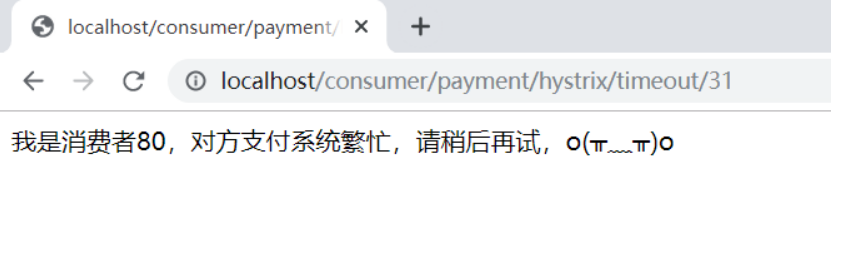
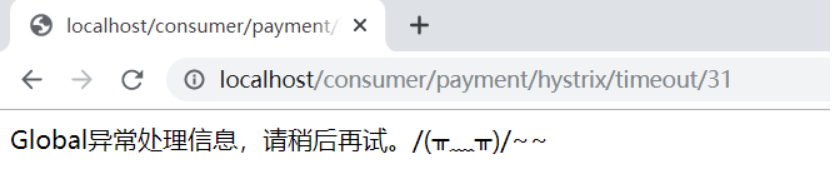
测试,超时异常:

4.1问题1:
这样如果每个业务方法都对应一个兜底的方法,100个方法就有100个服务降级,会出现代码膨胀问题,我们需要一个统一的 fallbackMethod,统一的和自定义的分开。
解决问题:
@DefaultProperties(defaultFallback = “”)
1 : 1 每个方法配置一个服务降级方法,造成代码膨胀
1 : N 除了个别重要核心业务有专属,其他普通的可以通过@DefaultProperties(defaultFallback = “”) 统一跳转到统一处理结果页面
这样通用的和独享的各自分开,避免了代码膨胀,合理减少了代码量。
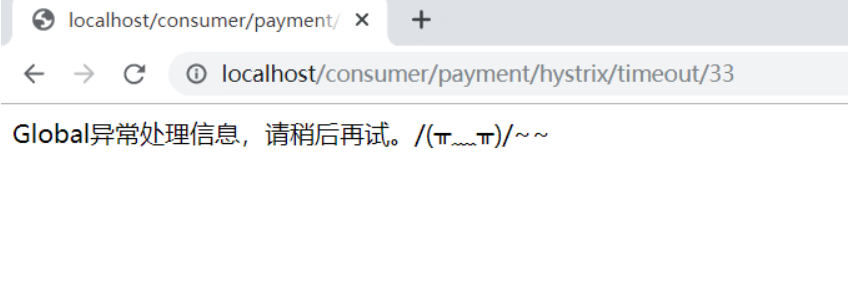
测试

4.2 问题2:
现在客户端与服务端关系紧紧耦合,客户端能跑是因为接口调用了微服务的业务逻辑方法,我们如果针对客户端接口做一些处理,把它调用的所有微服务方法进行降级,就可以解决耦合问题。
解决问题:
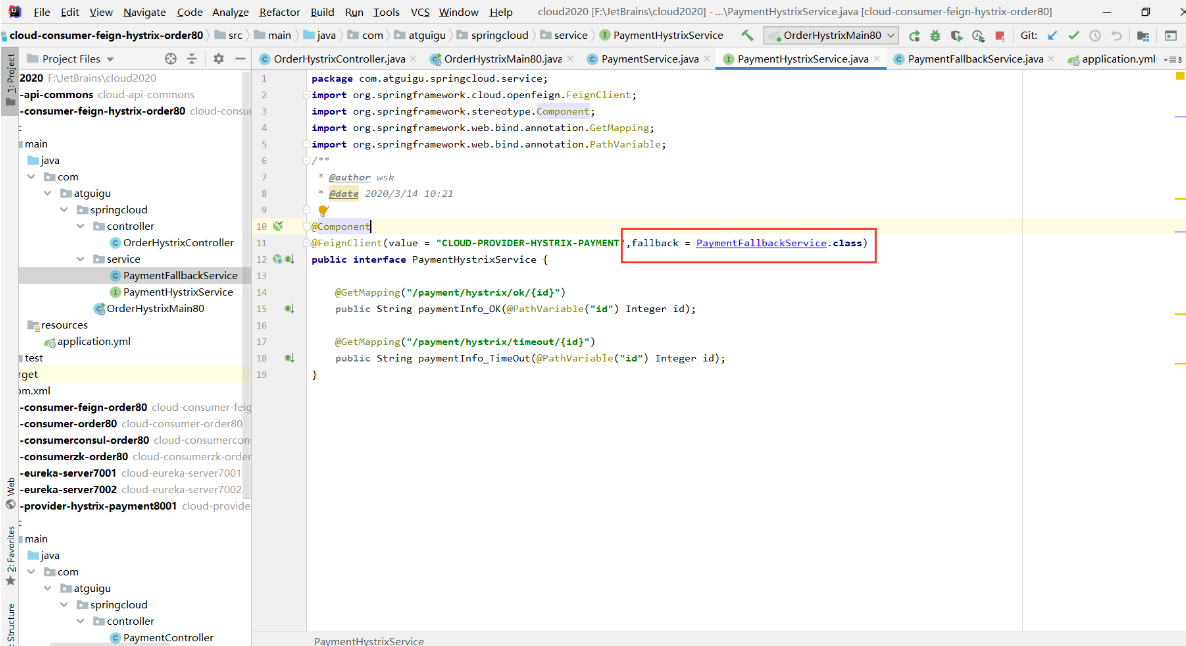
这个案例服务降级处理是在客户端80完成的,与服务端8001没有关系,只需要为 Feign 客户端定义的接口添加一个服务降级处理的实现类即可实现解耦。
1
2
3
4
5
6
7
8
9
10
11
12
13
| package com.atguigu.springcloud.service;
@Component
public class PaymentFallbackService implements PaymentHystrixService {
@Override
public String paymentInfo_OK(Integer id) {
return "-----PaymentFallbackService fall back-paymentInfo_OK ,o(╥﹏╥)o";
}
@Override
public String paymentInfo_TimeOut(Integer id) {
return "-----PaymentFallbackService fall back-paymentInfo_TimeOut ,o(╥﹏╥)o";
}
}
|
接口使用@FeignClient(fallback = xxx.class)指定哪个类来处理异常

测试
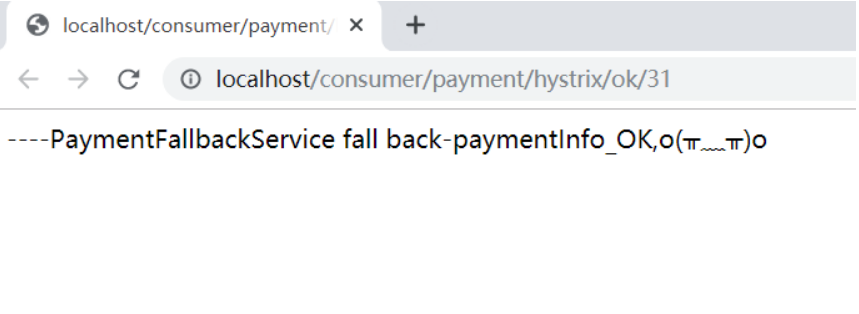
先启动服务端8001,在启动客户端80,客户端正常调用微服务

现在关闭8001,客户端自己进行了降级,调用处理异常的方法

5.Hystrix 服务熔断
熔断机制概述:
熔断机制是应对雪崩效应的一种微服务链路保护机制。当扇出链路的某个微服务出错不可用或者响应时间太长时,会进行服务的降级,进而熔断该节点微服务的调用,快速返回错误的响应信息。
当检测到该节点微服务调用响应正常后,恢复调用链路。
在SpringCloud框架里,熔断机制通过Hystrix实现,Hystrix会监控微服务间调用的状况,当失败的调用到一定阈值,缺省是5秒内20次调用失败,就会启动熔断机制。熔断机制的注解是@HystrixCommand
1
2
3
4
5
6
7
8
9
10
11
12
13
14
15
16
17
18
19
20
21
22
23
24
25
26
27
|
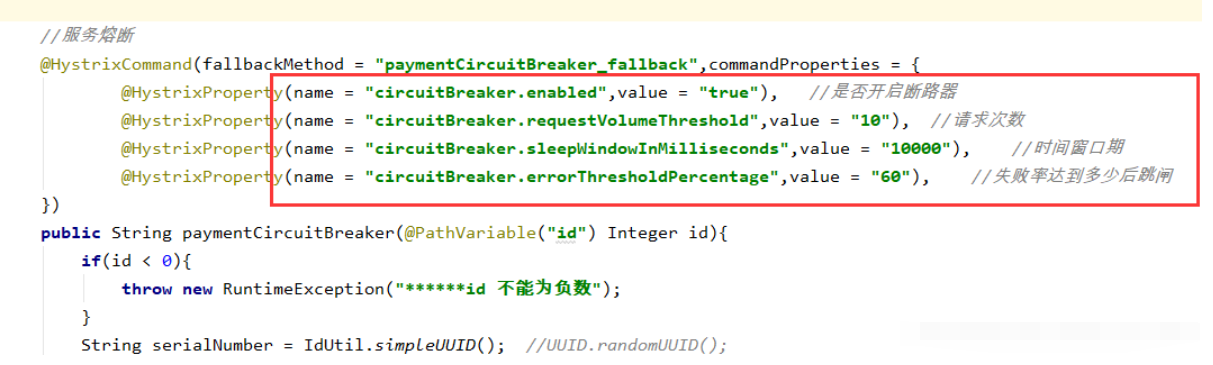
@HystrixCommand(
fallbackMethod = "paymentCircuitBreaker_fallback", commandProperties = {
@HystrixProperty(name = "circuitBreaker.enabled", value = "true"),// 是否开启断路器
@HystrixProperty(name = "circuitBreaker.requestVolumeThreshold", value = "10"),// 请求次数
@HystrixProperty(name = "circuitBreaker.sleepWindowInMilliseconds", value = "10000"),// 时间窗口期/时间范文
@HystrixProperty(name = "circuitBreaker.errorThresholdPercentage", value = "60")// 失败率达到多少后跳闸
}
)
public String paymentCircuitBreaker(@PathVariable("id") Integer id) {
if (id < 0) {
throw new RuntimeException("*****id不能是负数");
}
String serialNumber = IdUtil.simpleUUID();
return Thread.currentThread().getName() + "\t" + "调用成功,流水号:" + serialNumber;
}
public String paymentCircuitBreaker_fallback(@PathVariable("id") Integer id) {
return "id 不能负数,请稍后重试,o(╥﹏╥)o id:" + id;
}
|
1
2
3
4
5
6
7
8
|
@GetMapping("/circuit/{id}")
public String paymentCircuitBreaker(@PathVariable("id") Integer id) {
String result = paymentService.paymentCircuitBreaker(id);
log.info("***result:" + result);
return result;
}
}
|
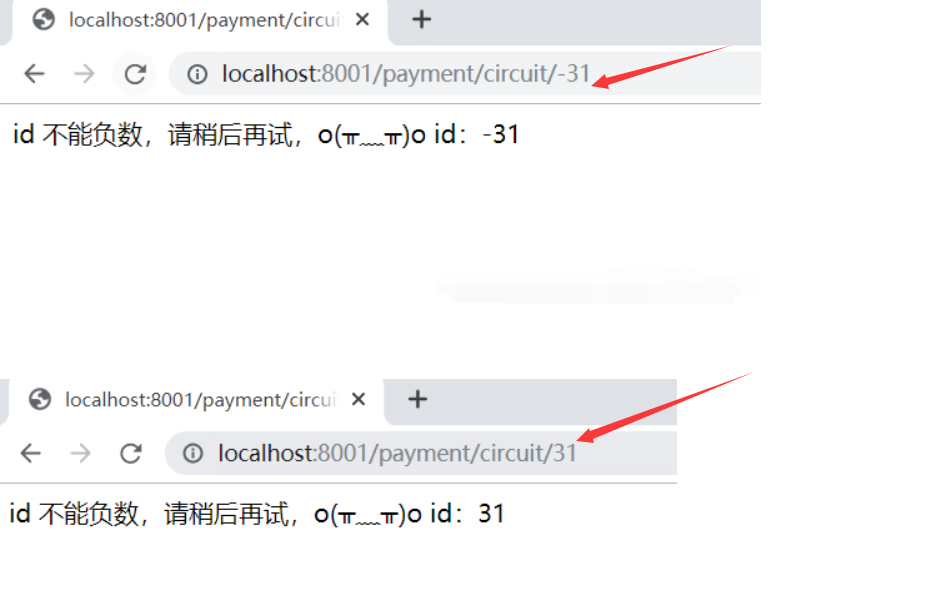
Controller 调用 Service,请求数10次内出现6次以上错误,就会触发熔断,熔断后正确的请求也不能立刻被响应,而是缓慢、正确率高了才响应。

服务的降级 –> 进而熔断 –> 恢复调用链路
总结:
熔断类型
- 熔断打开
请求不再进行调用当前服务,内部设置时钟一般为MTTR(平均故障处理时间),当打开时长达到所设时钟则进入半熔断状态
- 熔断关闭
熔断关闭不会对服务进行调用
- 熔断半开
部分请求根据规则调用当前服务,如果请求成功且符合规则则认为当前服务恢复正常,关闭熔断
断路器在什么情况下开始起作用

**设计到断路器的三个重要参数:快照时间窗、请求总数阈值、错误百分比阈值
**
- 快照时间窗:断路器确定是否打开需要统计一些请求和错误数据,而统计的时间范围就是快照时间窗,默认为最近的10秒
- 请求总数阈值:在快照时间内,必须满足请求总数阈值才有资格熔断。默认为20,意味着在10秒内,如果该hystrix命令的调用次数不足20次,即使所有的请求都超时或其他原因失败,断路器都不会打开
- 错误百分比阈值:当请求总数在快照时间窗内超过阈值,比如发生了30次调用,如果在这30次调用中,有15次发生了超时异常,也就是超过50%的错误百分比,在默认设定50%阈值情况下,这时候就会将断路器打开
断路器开启或关闭的条件
- 当满足一定的阈值的时候(默认10秒内超过20个请求次数)
- 当失败率达到一定的时候(默认10秒内超过50%的请求失败)
- 到达以上阈值,断路器将会开启
- 当开启的时候,所有请求都不会进行转发
- 一段时间后(默认是5秒),这个时候断路器是半开状态,会让其中一个请求进行转发。如果成功,断路器会关闭,若失败,继续开启。重复4和5。
断路器打开之后
1.再有请求调用的时候,将不会调用主逻辑,而是直接调用降级fallback。通过断路器,实现了自动地发现错误并将降级逻辑切换为主逻辑,减少响应延迟的效果。
2.原来的主逻辑要如何恢复呢?
对于这一问题,hystrix也为我们实现了自动恢复功能
当断路器打开,对主逻辑进行熔断之后,hystrix会启动一个休眠时间窗,在这个时间窗内,降级逻辑是临时的成为主逻辑,当休眠时间窗到期,熔断器将进入半开状态,释放一次请求到原来的主逻辑上,如果此次请求正常返回,那么断路器将继续闭合,主逻辑恢复,如果这次请求依然有问题,断路器继续进入打开状态,休眠时间窗重新计时。


6.Hystrix 图形化Dashboard搭建及监控测试
概述:
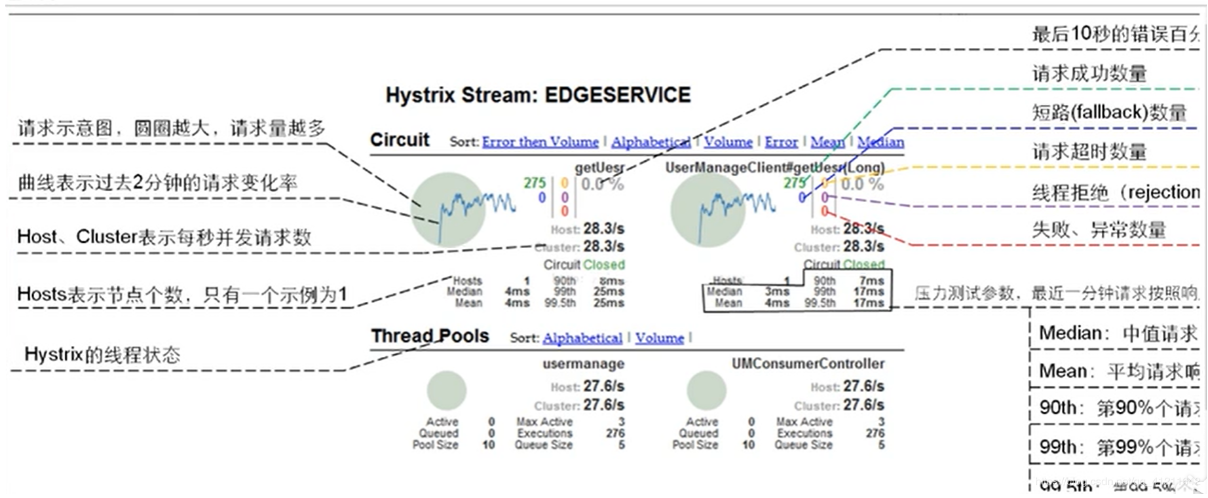
除了隔离依赖服务的调用意外,Hystrix还提供了准实时的调用监控(Hystrix Dashboard),Hystrix会持续的记录所有通过Hystrix发起的请求的执行信息,并以统计报表和图形的形式展示给用户,包括每秒执行多少请求多少成功,多少失败等。Netflix 通过 hystrix-metrics-event-stream项目实现了对以上指标的监控。SpringCloud也提供了Hystrix Dashboard的整合,对监控内容转化成可视化界面。
6.1新建 module cloud-consumer-hystrix-dashboard9001
6.2 pom.xml
1
2
3
4
5
6
7
8
9
10
11
12
13
14
15
16
17
18
19
20
21
22
23
24
25
26
27
28
29
30
31
32
33
34
35
36
37
38
39
40
41
| <?xml version="1.0" encoding="UTF-8"?>
<project xmlns="http://maven.apache.org/POM/4.0.0"
xmlns:xsi="http://www.w3.org/2001/XMLSchema-instance"
xsi:schemaLocation="http://maven.apache.org/POM/4.0.0 http://maven.apache.org/xsd/maven-4.0.0.xsd">
<parent>
<artifactId>cloud2020</artifactId>
<groupId>com.atguigu.springcloud</groupId>
<version>1.0-SNAPSHOT</version>
</parent>
<modelVersion>4.0.0</modelVersion>
<artifactId>cloud-consumer-hystrix-dashboard9001</artifactId>
<dependencies>
<dependency>
<groupId>org.springframework.cloud</groupId>
<artifactId>spring-cloud-starter-netflix-hystrix-dashboard</artifactId>
</dependency>
<dependency>
<groupId>org.springframework.boot</groupId>
<artifactId>spring-boot-starter-actuator</artifactId>
</dependency>
<dependency>
<groupId>org.springframework.boot</groupId>
<artifactId>spring-boot-devtools</artifactId>
<scope>runtime</scope>
<optional>true</optional>
</dependency>
<dependency>
<groupId>org.projectlombok</groupId>
<artifactId>lombok</artifactId>
<optional>true</optional>
</dependency>
<dependency>
<groupId>org.springframework.boot</groupId>
<artifactId>spring-boot-starter-test</artifactId>
<scope>test</scope>
</dependency>
</dependencies>
</project>
|
6.3 application.yml
6.4 主启动类
1
2
3
4
5
6
7
8
9
10
11
12
13
|
package com.atguigu.springcloud;
import org.springframework.boot.SpringApplication;
import org.springframework.boot.autoconfigure.SpringBootApplication;
import org.springframework.cloud.netflix.hystrix.dashboard.EnableHystrixDashboard;
@SpringBootApplication
@EnableHystrixDashboard
public class HystrixDashboardMain9001 {
public static void main(String[] args) {
SpringApplication.run(HystrixDashboardMain9001.class,args);
}
}
|
6.5所有provider 微服务提供类都需要监控依赖配置
1
2
3
4
| <dependency>
<groupId>org.springframework.boot</groupId>
<artifactId>spring-boot-starter-actuator</artifactId>
</dependency>
|
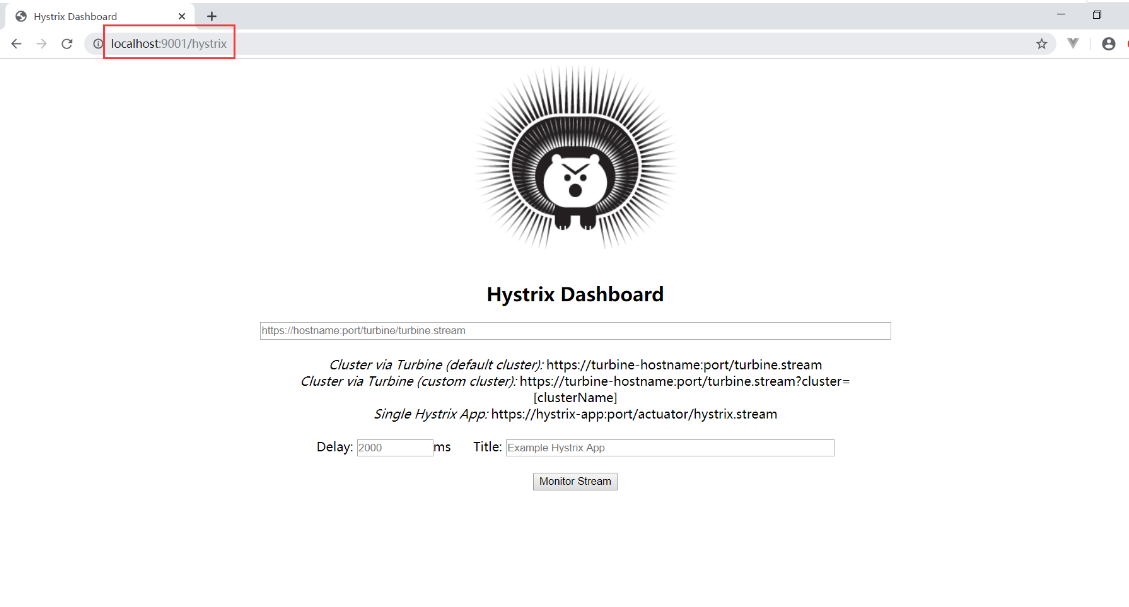
6.6启动 9001 该微服务后续将监控provider 微服务,出现下面图标搭建成功

6.7新版本Hystrix需要在主启动类中指定监控路径
1
2
3
4
5
6
7
8
9
10
11
12
13
14
15
|
@Bean
public ServletRegistrationBean getServlet(){
HystrixMetricsStreamServlet streamServlet = new HystrixMetricsStreamServlet();
ServletRegistrationBean registrationBean = new ServletRegistrationBean(streamServlet);
registrationBean.setLoadOnStartup(1);
registrationBean.addUrlMappings("/hystrix.stream");
registrationBean.setName("HystrixMetricsStreamServlet");
return registrationBean;
}
|

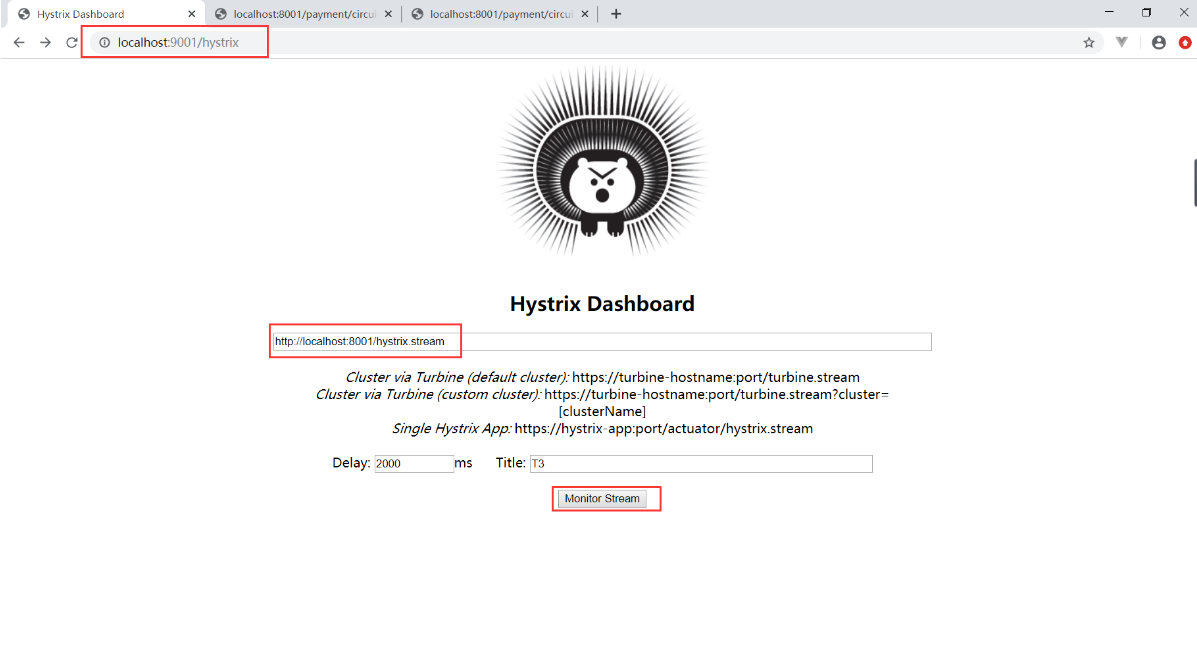
9001监控8001,启动 监控的provider 8001,点击上图的monitor stream测试

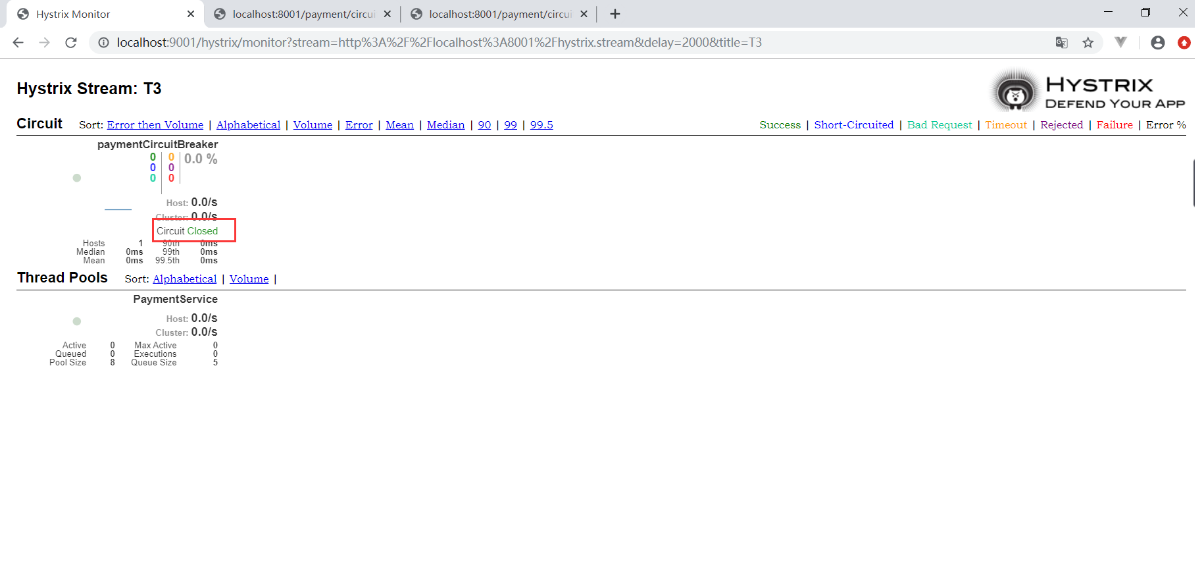
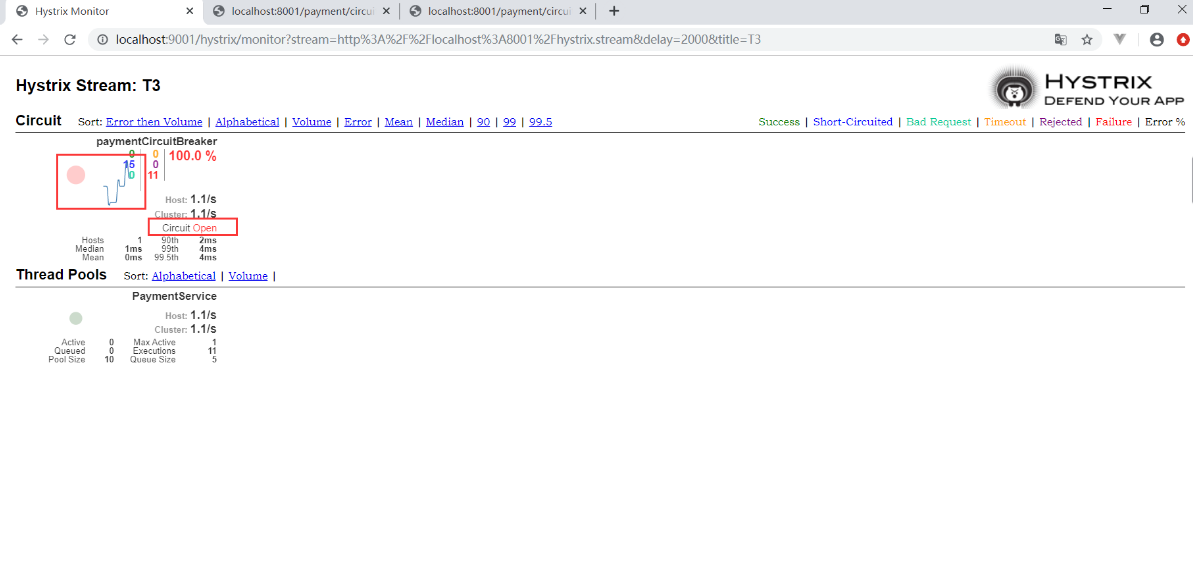
当请求次数越多,流量越多,图中小球会越来越大,没有触发熔断时,Circuit 显示 Closed ,触发熔断显示Open